
Dine-in and tables
Table orders, KOTs and bills from any phone on the floor.
Captains take orders at the table, the kitchen gets the KOT instantly, and billing takes seconds.
- ordering tuned for Indian English
- Voice
- ordering tuned for Indian English
- KOT to the kitchen printer
- Instant
- KOT to the kitchen printer
- and queues for rush hours
- Tokens
- and queues for rush hours
How does table ordering work in Dinehere?
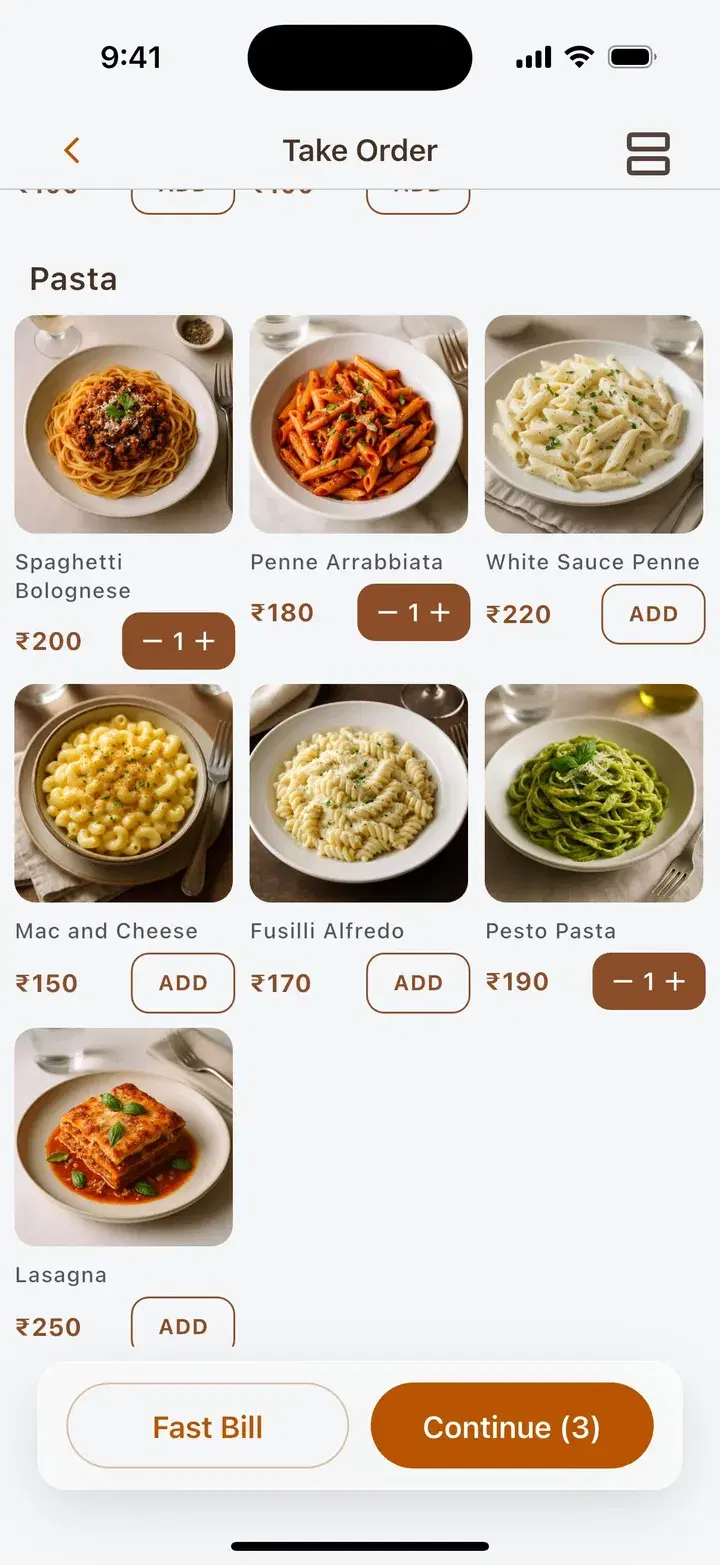
A captain picks the table, adds dishes by tapping or speaking the order, and sends the KOT, which prints in the kitchen while every device updates live. More rounds go on the same tab and orders can move between tables. When customers leave, the bill shows a UPI QR and can be split across Cash and UPI.
Speak the order. Dinehere builds the cart.
Captains say the order the way customers say it. Dinehere matches the dishes, quantities and add-ons, so nobody scrolls through a long menu at the table.
- Tuned for Indian English dish names
- Add-ons like extra cheese picked up from speech
- Tap favourites for the regular orders
- Review the cart before the KOT goes out
Voice ordering
“Two butter naan, one paneer tikka, extra cheese”
- 2 x Butter Naan
- 1 x Paneer Tikka
- + Extra cheese
Tuned for Indian English, so captains stay with customers instead of scrolling through menus.
Every table at a glance
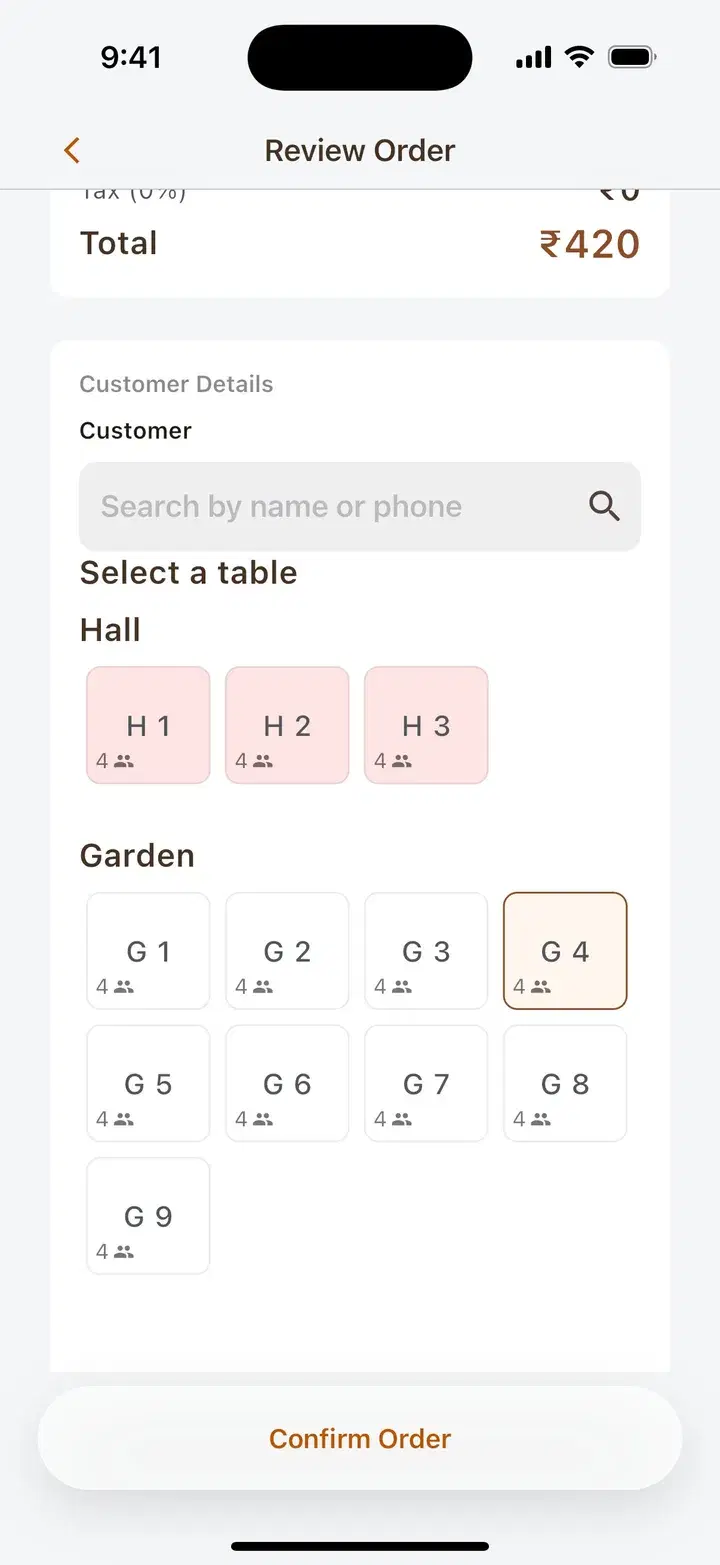
See every table across Hall, Garden and more, with occupied tables marked, so captains know where to go next.
- Tables grouped by area, with seat counts
- Occupied tables highlighted
- Add rounds to the same tab
- Move an order to another table in a tap
Queues and tokens for the rush
Run several queues at once. Call the next token, mark customers seated or no-show, and bill only the tokens you served.
- Grand opening flow
- Customer scans a QR, the order is created and a token is issued.
- Weekend waitlist
- Name and party size, with an optional pre-order while waiting.
- Call when ready
- Call the next token when the order or table is ready.
- Seat and bill
- Mark customers seated or no-show, then bill in one tap.
Now serving
A-24
Up next
A-25 A-26 A-27
Served
A-22 A-23
₹500 a month for dine-in. ₹5,000 one-time setup for your own app.
Every feature on this page is included. Save ₹1,000 with yearly billing.
Frequently asked questions
Can captains take orders on their own phones?
Yes. Any Android or iPhone, or a tablet, can be a captain device. Each captain signs in with a waiter role, and new devices need manager approval.
Does Dinehere print KOTs in the kitchen?
Yes. The KOT prints on a Bluetooth printer in the kitchen as soon as the order is sent, and every device updates live.
Can customers order by scanning a QR code at the table?
Yes. A table QR opens your restaurant's ordering website, and the order lands in Dinehere like any other order.
Can I manage a waiting queue on busy days?
Yes. Run several queues at once with tokens, take name and party size, allow pre-orders while customers wait, and call, seat or mark no-show from the app.
Can I move an order to a different table?
Yes. Move an order between tables in a tap, and keep adding rounds to the same tab until the bill is settled.
Related
- Restaurant POS
One app for orders, billing, menu, staff and reports.
- Billing & GST
UPI QR bills, split payments, GST and credit for regulars.
- Your own ordering app
A branded website customers install as your app, with online payments built in.
See Dinehere in action.
Take a 7-day free trial and see how Dinehere fits your restaurant. Message us on WhatsApp, call, or email, whichever is easier.
Take a 7-day free trial